How to Protect Your Small Business Email Against Phishing

An email that looks like it came from your bank. An urgent message from your usual supplier asking for a wire transfer. An unexpected invoice with a link to "confirm the payment". Thousands of small businesses in Quebec live through these situations every year, and many fall into the trap without even noticing. Phishing is today the entry point cybercriminals use most often to get inside a company. Here is how to recognize these attacks, protect your email and cut the risk to your business sharply.
Key figure: In 2024, the Canadian Anti-Fraud Centre reported 67.3 million dollars in losses tied to email fraud and phishing. It is the second-largest category of cybercrime losses in the country, and most of the victims are small businesses.
Quick answer: To protect a small business email system against phishing, turn on multi-factor authentication, an anti-phishing filter (Microsoft Defender), the SPF, DKIM and DMARC protocols, and train your employees on a regular basis.
What is phishing and why are small businesses the first targets?
Phishing is a fraud technique in which a cybercriminal sends an email or a message that imitates a trusted source perfectly, a bank, a government body, a supplier, Microsoft, Canada Post, to get you to click a malicious link, enter your credentials or send money.
According to the National Cyber Threat Assessment 2025-2026 from the Canadian Centre for Cyber Security (CCCS), phishing remains the number one attack vector in Canada. The Centre explicitly points to the spread of phishing kits sold online and to AI-driven chatbots, which let criminals write deceptive emails in seconds, in flawless French, with no spelling mistakes.
Small businesses are singled out for several reasons:
- They have fewer cybersecurity resources than large companies
- They handle sensitive data (clients, finances, suppliers)
- They trust emails without checking them systematically
- They often serve as a way into larger partner organizations
In 2024, the Canadian Anti-Fraud Centre reported 67.3 million dollars in losses tied to business email compromise (BEC) and phishing, the second-largest category of cybercrime losses in the country. That figure covers reported cases only: the real total is believed to be far higher.
The most common types of phishing in 2025-2026
Attacks have changed a great deal. Forget the email full of obvious mistakes from the "Nigerian prince". Today the messages are polished, personalized and almost impossible to tell apart from a genuine business email.
- Generic phishing: Sent in bulk, imitating a bank, the Canada Revenue Agency, Amazon, Microsoft or Canada Post. Contains a link to a fake sign-in page.
- Spear phishing: Aimed at one specific person in the company, often using their name, their title and publicly available information. Far more convincing.
- CEO fraud (BEC): The criminal poses as the head of the company and asks an employee to make an urgent transfer or hand over credentials.
- Text message phishing (smishing): Sent by text, often imitating Canada Post, a bank or a delivery service.
- Voice phishing (vishing): A phone call from a fake government agent or a fake bank representative.
In 2025, 82.6 per cent of the phishing emails detected showed some use of AI, according to KnowBe4’s Phishing Threat Trends Report. Microsoft, for its part, measures a 54 per cent click rate for AI-automated phishing against 12 per cent for the classic kind. That means writing quality is no longer a reliable clue. A well-written email is not necessarily legitimate.

How do you recognize a phishing email?
Even well-built messages usually leave traces. Here is what to check before clicking on anything:
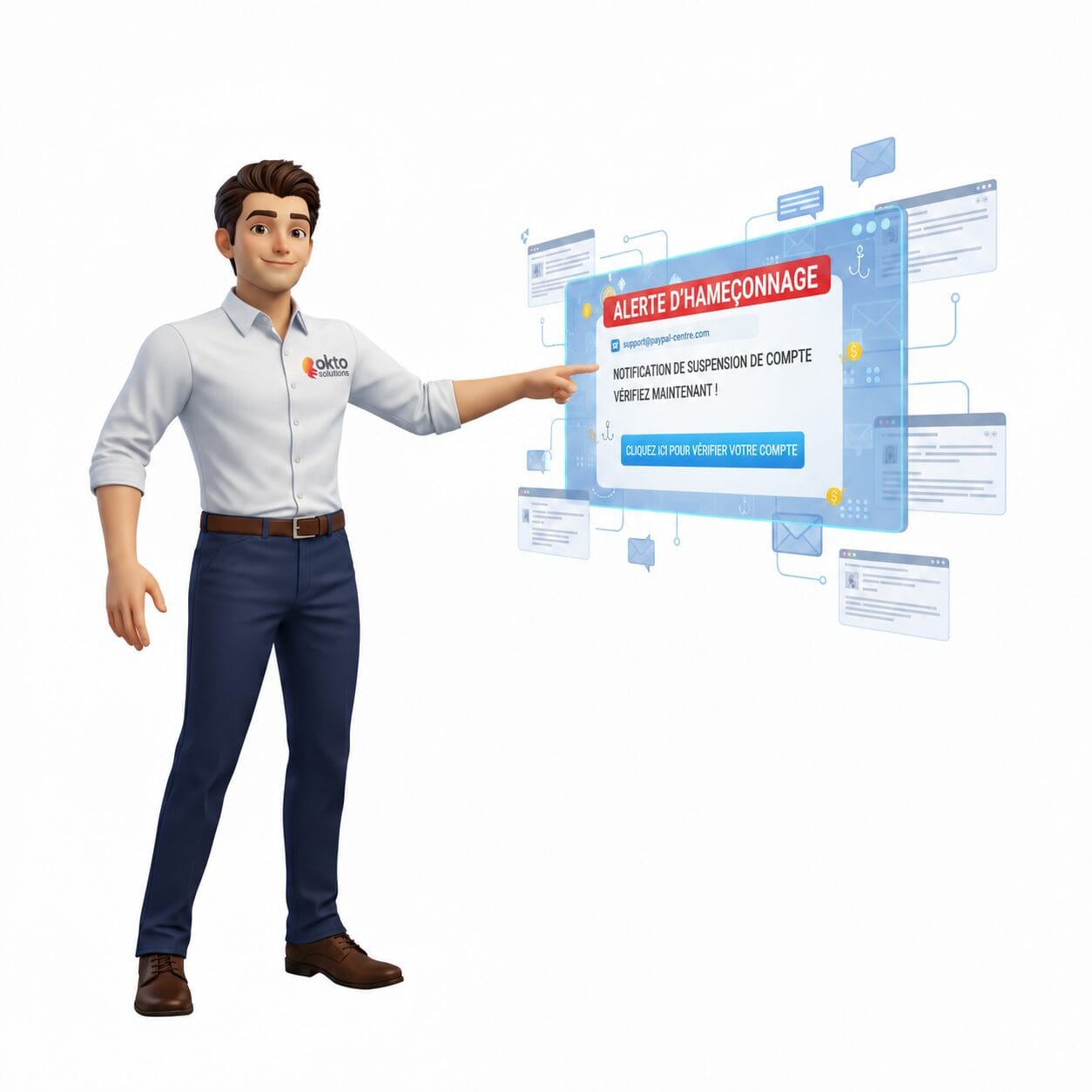
- The sender address: The display name may look official, but the real address is often suspicious. For example: "Microsoft Support" with the address support@microsft-help.net.
- The links, before you click: Hover over the link with your mouse without clicking. The URL shown at the bottom of the screen must match the real site exactly.
- Manufactured urgency: "Your account will be deactivated in 24 hours", "Immediate action required". Real organizations do not create panic by email.
- Unusual requests: A supplier changing its banking details by email, a colleague asking for urgent access outside the normal procedures.
- Unexpected attachments: PDF, Word or ZIP files sent with no prior context are a common infection route.
The golden rule: When in doubt, do not click. Call the person or the organization directly using a number you already know, never the one supplied in the suspicious email.
The 6 technical measures that protect your business email
Employee awareness is essential, but on its own it is not enough. Solid technical protections have to be in place to filter threats before they ever reach the inbox.
Email authentication and filtering
- SPF, DKIM and DMARC: These three email authentication protocols stop criminals from sending messages that spoof your domain name. If your domain has not set them up, anyone can send an email pretending to be you.
- Microsoft Defender for Office 365: Included in Microsoft 365 Business Premium licences, it scans every email in real time, blocks malicious links and quarantines suspicious attachments before they reach the user.
Access control and account protection
- Multi-factor authentication (MFA): Even if an employee has their credentials stolen through a phishing attack, MFA stops the criminal from getting into the account without the second authentication factor. It is the most effective protective measure, according to the CCCS.
- DNS filtering: Automatically blocks access to known malicious websites, even if the employee clicks the link. An extra safety net when human error happens.
Team awareness and training
- Training and phishing simulations: Regular tests send fake phishing emails to your employees to measure their vigilance and train them in a concrete way, with no real risk.
- Conditional access policies: Limit access to business applications based on the device, the location and the level of risk detected, which reduces the impact of a compromised account.
What do you do if an employee clicked a phishing link?
It happens, even in the best-run companies. What matters is acting fast and not panicking. Here are the steps to take right away:
- Disconnect the device from the network (Wi-Fi and Ethernet cable) to stop anything from spreading.
- Do not restart the device: a restart can erase traces that are useful for the analysis.
- Change the passwords right away for the compromised account, from another clean device.
- Notify your IT team or your IT provider without delay so an analysis can be done.
- Check whether any data was sent out: recent sign-ins, sent emails, downloaded files.
- Report the incident to the Canadian Anti-Fraud Centre if financial fraud is involved.
The faster the reaction, the smaller the damage. Acting within the first few hours can be the difference between a minor incident and a major data breach with legal consequences.
Employee training: your best line of defence
Technical tools filter out plenty of threats, but an untrained employee can still open a breach. According to the CCCS, the large majority of cybersecurity incidents start with human error.
Good anti-phishing training for a small business should include:
- Awareness of the different attack types (phishing, smishing, vishing, CEO fraud)
- Concrete examples of real malicious emails that were caught in time
- Clear procedures to follow in case of doubt or an incident
- Periodic simulations to keep vigilance up over time
- An annual refresh based on the new tactics cybercriminals are using
The goal is not to point fingers at the employees who fall for it, but to build a culture of vigilance where everyone feels responsible for the security of the company. An employee who reports a suspicious email has done the whole organization a favour.
Frequent questions about phishing protection
How do I know whether my company has already been a phishing victim?
The most common signs: unusual sign-ins to accounts, emails sent from your address without your involvement, unsolicited password reset requests, or unauthorized financial transactions. A security audit lets you review your sign-in history and detect past compromises.
Is MFA enough to protect my company against phishing?
MFA is the most effective measure against compromised accounts, but it is not enough on its own. An employee can still click a malicious link that installs spyware or triggers ransomware. MFA works together with employee training and advanced email filtering for complete protection.
Are phishing simulations really useful?
Yes, and the results are measurable. Companies that run regular simulations see the click rate on real malicious emails drop significantly within a few months. The goal is not to trap employees, but to build reflexes of vigilance in a setting with no real risk.
OKTO Solutions protects email for small businesses in Trois-Rivières and Quebec
At OKTO Solutions, email protection is part of our approach to integrated cybersecurity for small business. We set up and maintain SPF, DKIM, DMARC, Microsoft Defender for Office 365, MFA and conditional access policies so your email is protected from end to end.
We also offer anti-phishing training built for the realities of Quebec small businesses, with real simulations to test and strengthen your team’s vigilance without creating needless panic.
If you are not sure how well your email is protected right now, a cybersecurity audit gives you a quick picture and identifies the gaps to close first. Better to find out before an incident than after.
To learn more, see the Microsoft 365 anti-phishing protection page on Microsoft Learn.
Sources: Canadian Centre for Cyber Security: National Cyber Threat Assessment 2025-2026 (cyber.gc.ca) | Canadian Anti-Fraud Centre: Annual Report 2024 (antifraudcentre-centreantifraude.ca) | Microsoft Digital Defence Report 2025 (microsoft.com)An article sets out the principle. Putting it in place happens one workstation at a time: our managed cybersecurity service, backup and disaster recovery and our IT services in Montreal.