
Saint-Lambert
IT services in Saint-Lambert for professional firms and small teams
Saint-Lambert is a city of 23,521 residents whose building stock is 95 per cent residential. There is no industrial park, but there are roughly 500 retail and professional services establishments: law and accounting practices, clinics, notaries, offices of a handful of people. They have confidential files, two or three critical programs, and nobody to look after them when something breaks.
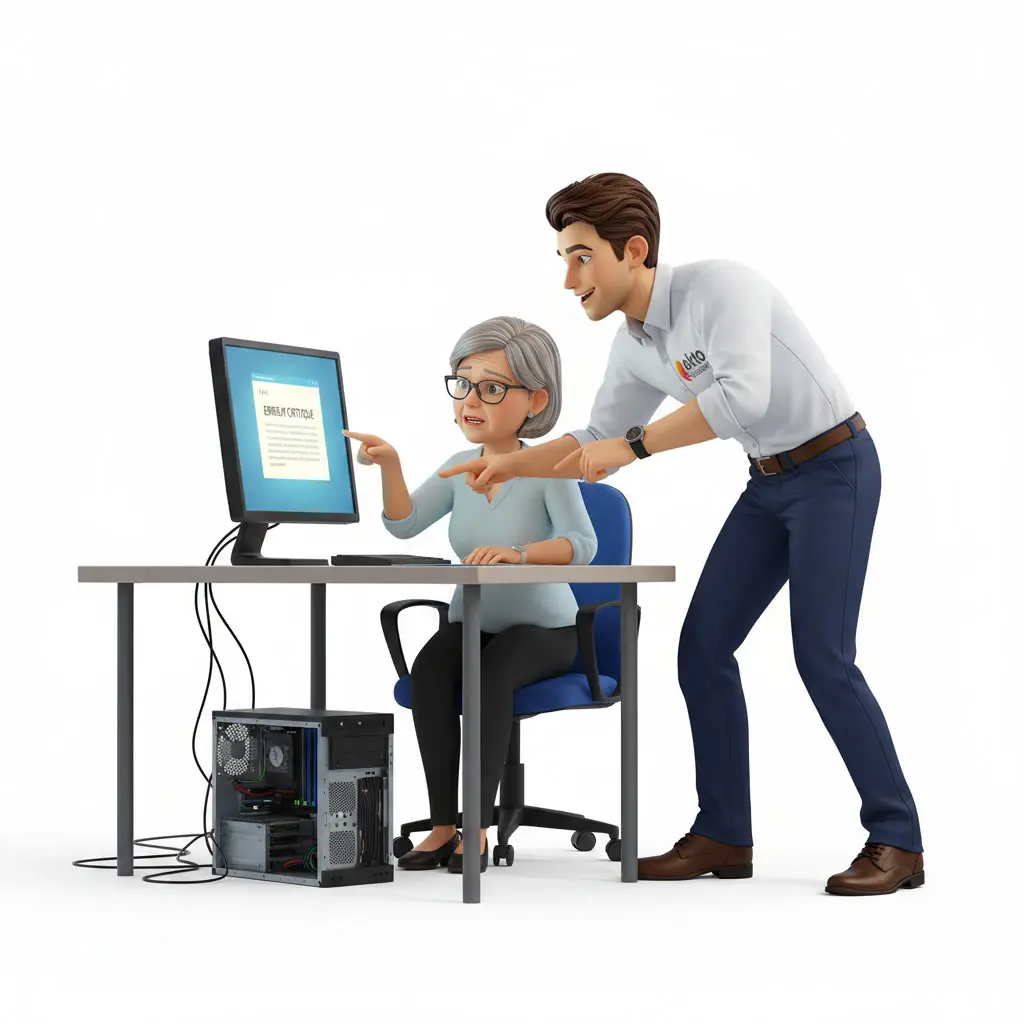
OKTO Solutions serves Saint-Lambert from Trois-Rivières, about 145 km away, roughly two hours by road. For a practice of five to twenty people almost everything is done without a trip: workstation setup, email migration, two-factor authentication, cloud backup and daily troubleshooting. Managed plans start at five workstations. There is no OKTO address in Saint-Lambert.
Who provides IT services for small practices in Saint-Lambert?
OKTO Solutions provides IT services to professional firms, clinics and small offices in Saint-Lambert, a city with roughly 500 retail and professional services establishments and no industrial park. The team is based in Trois-Rivières, about 145 km and roughly two hours away, with nobody posted in Saint-Lambert. For a practice of five to twenty people nearly everything happens without a trip: workstation setup, email migration, two-factor authentication, cloud backup and daily troubleshooting. Managed plans start at five workstations, so a six-person practice qualifies; the vCIO module asks for ten units. Visits are made by appointment for jobs like reworking an office or replacing several workstations on the same day. On Law 25, OKTO puts the technical measures in place, including access control, device encryption, logging and an incident procedure, while the legal side stays with the firm. Specialized software that runs on one computer gets documented and backed up.
 OKTO PSA · Service desk
 In a team of six, the person who calls is usually the one who was in the middle of something else.
An emergency always starts remotely, from the moment you call. If a trip becomes necessary, we plan it and announce an arrival time. We will not advertise an on-site response time for Saint-Lambert that we have never measured.
How we work
Does distance matter for a team this size?
Our office is in Trois-Rivières, about 145 km from Saint-Lambert, roughly two hours by road. There is no OKTO office in Saint-Lambert, nobody is posted there, and no local address appears anywhere on this site. For a team of that size the distance has few practical consequences. Nearly all the work happens without a trip: a workstation prepared in advance and delivered ready to use, an email migration, turning on two factor authentication, backing up cloud data, day to day troubleshooting. We travel for the cases that call for it, which are fewer than people expect: taking over an environment left with no documentation, reworking an office layout, or the annual meeting with the partners.
The local economy
Saint-Lambert, a city of practices rather than plants
The profile published by the City of Saint-Lambert explains why the IT here looks nothing like the IT of the industrial parks a few kilometres away.
Density runs to 3,009.8 people per square kilometre, and 57 per cent of the housing is single family. The City notes that development stays limited by the scarcity of available land, which is why economic activity sits in local shops and services rather than in warehouses. The main cluster is downtown on avenue Victoria, where the City counts more than 25 restaurants and boutiques.
For a practice of that size, the work starts with an inventory: which programs are installed on which computer, where the files live, who holds the passwords. That record often fits on a single page, and it is what gets the office running again when a computer dies or someone leaves.
Source: Ville de Saint-Lambert, municipal profile.
The external drive in the drawer is not a backup. It is a copy nobody has ever tried to read back.
Three weak points
Where does a small firm actually break?
The arithmetic of a small team
In a team of five to twenty people, a single compromised account opens everything. There is no second line, no separate department, no colleague whose job is to notice. That is why two factor authentication and access control matter more here, not less, than they do at a company with two hundred employees.
The nature of the data
Medical records, notarial deeds, financial statements, insurance files. Law 25 applies in full to a firm of six people, with no allowance for its size. What that means in practice is a short, concrete list of technical measures, and an incident procedure that exists before the incident.
Dependence on one machine
This one is ordinary and far more common. A specialized program installed on a single computer, a backup living on an external drive in a drawer, a password known to one person. It holds as long as nothing happens, and it is the first thing we take apart.
How small is too small
The size of an engagement, written plainly
This is the question we get asked first by a practice with a handful of employees, and the answer does not change from one caller to the next.
- Two factor authentication on every account, starting with the ones that hold client files.
- A real backup of the cloud data, because Microsoft 365 keeps your mail available, not archived on your behalf.
- An inventory of the specialized software, of the machine it runs on, and of who holds the licence.
- Access rights cleaned up, including the accounts of people who left and were never closed.
- A written incident procedure, one page long, that someone can follow at eight in the morning without calling a lawyer first.
What it costs you
Four ordinary failures, and what closes them
None of these is exotic. All four show up regularly in offices of five to twenty people, and all four have a fix that takes less time than the outage would.
| What happens | What it stops | What closes it |
|---|---|---|
| A partner’s password ends up in a phishing form | Mail, files, and the trust of anyone who receives a message from that address | Two factor authentication, conditional access, and an alert when a sign-in looks wrong |
| The computer running the specialized software dies | Billing, files, sometimes the whole practice for several days | A documented installation, a backed-up data folder, and a written plan for the replacement |
| A laptop is lost on the train | Nothing, if the disk is encrypted. Everything, if it is not | Disk encryption, device enrolment, remote lock |
| An employee leaves and the account stays open | Nothing visible, which is exactly the problem | A departure procedure, a rights review, and a log of who has access to what |
Day-to-day questions land on IT support, and the yearly planning conversation with the partners sits in the vCIO module once you pass ten units.
Around Saint-Lambert
The neighbouring cities we serve
Saint-Lambert belongs to the agglomeration of Longueuil, and a practice here often has clients, partners or a second office a few minutes away.
Longueuil
Industry and aerospaceOur IT services in Longueuil, where production IT and prime contractor requirements set the tone.
Brossard
Offices and hybrid teamsOur IT services in Brossard, for offices, clinics and stores with people working from three places a week.
Boucherville
Distribution and warehousingOur IT services in Boucherville, built around an industrial park and the servers that carry its orders.
The regional view sits on IT services on the South Shore of Montreal, and every territory we cover, with its distance from our office, is listed on the service areas page.
Questions and answers
Your questions about our services in Saint-Lambert
Do you have an office in Saint-Lambert?
How far from Saint-Lambert are you?
Our practice has six people. Is that too small?
Do you come on site in Saint-Lambert?
How does an emergency work for a small practice?
Can you help us with Law 25?
Our specialized software only runs on one computer. Is that a problem?
Let us take your IT back in hand
A first conversation is there to see where your data sits, who can reach it, and what would happen tomorrow morning if it were gone. No commitment.
Reviewed by Antonio Pazzi, president of OKTO Solutions · updated